What you have been given
A leadership response is something the organisation decided to do after reading a whole round in Leadership Review. When leadership names you as its owner, following it through becomes yours.
It is not a commitment. A commitment is a promise you made in your own conversation. Both appear on your Overview, in their own sections, and are never merged.
Work on it
Open your Overview and find FOLLOW-THROUGH → Leadership responses I own.
Only active responses are listed: Planned, In progress and Continue listening.
Select Open response →.
It expands in place and shows where it came from, what we are doing, what we will listen for next, the review date, and everything recorded since the decision.
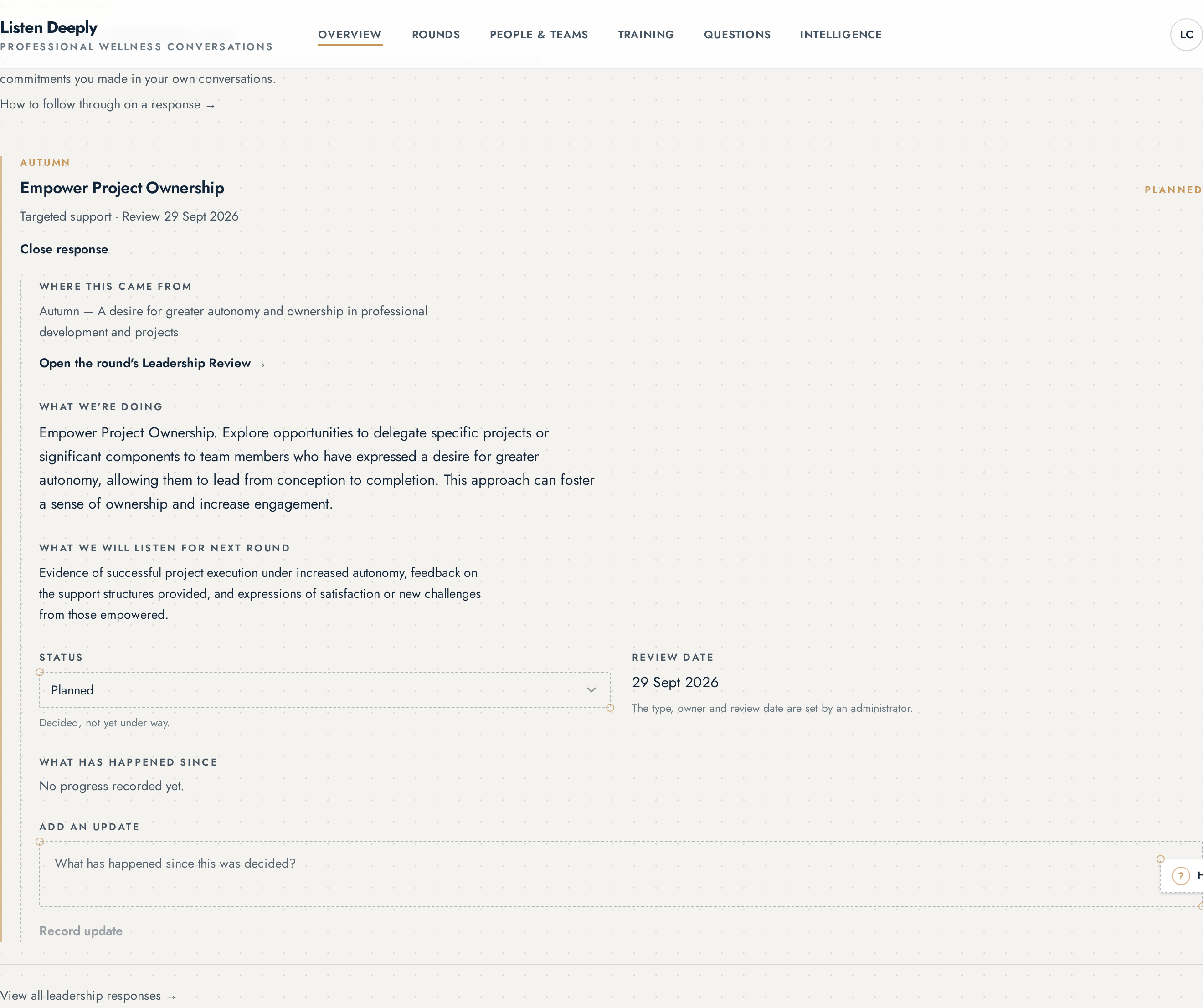
An owned leadership response opened inline on the Overview. · captured 05/09/2026 Add an update describing what has actually happened.
Updates are dated and kept permanently, so the organisation can see what followed the decision.
Move the status when it moves: Planned → In progress → Complete, or Continue listening where there is nothing yet to do.
Once a response is complete or closed it leaves your Overview, and stays in the organisation register with its full history.
What you cannot change
The wording of the decision, the response type, the owner and the originating matter belong to the organisation, not the owner. Ask an administrator if any of those are wrong.
The rule is simple: the owner follows through, the administrator manages.
Review dates and overdue
An actionable response carries a date to come back to it. When that date passes the row is marked so it cannot quietly disappear; it is a prompt to record where things have got to, not a penalty.
Who can do this
The named owner can record progress and move the practical status. Only administrators can change the wording, the response type, the owner or the originating matter.
Who can see this
You see a leadership response on your Overview only when you are its named owner. Administrators see every response in the organisation register.