- A commitment recorded in one of your conversations.
Find it
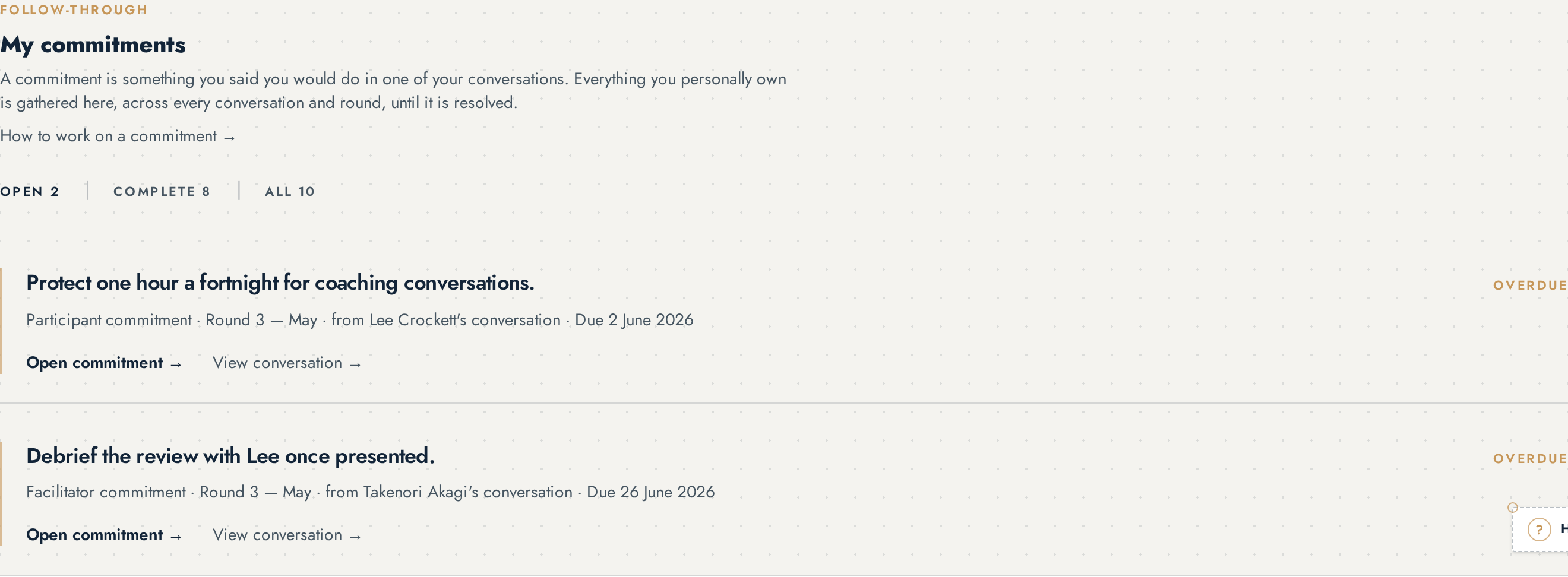
Every commitment you own is on your Overview under FOLLOW-THROUGH → My commitments, whichever conversation it came from. The filters switch between open, in progress, overdue and complete.
Work on it
Select Open commitment →.
The working detail expands directly beneath the row. Nothing opens in a drawer or another page.
You can see the owner, the owner type, the conversation and round it came from, its due date, and the full follow-through history.
Add an update.
Write plainly what has happened since. Each update is dated and attributed, and stays in the history permanently.
Move the status when it genuinely moves.
Mark in progress when work has started. Mark complete when what was agreed has happened. A completed commitment can be reopened if it turns out it was not finished.
Select Close commitment to collapse the row again.
An overdue commitment is not a failure to be marked. It is something for the next conversation to talk about.
If it belongs to someone else
Administrators can reassign a commitment to the right named owner — most often an administration commitment that was recorded before anyone was named. The reassignment is recorded in the history.
If the wording itself is wrong, it cannot be edited. An administrator can cancel it and the next conversation can agree it properly.
Who can do this
The owner can add updates and change status. Administrators can do the same and can reassign ownership. Nobody can rewrite the original wording.
Who can see this
The participant and facilitator from the conversation it came from, and administrators reading the organisation's commitment register.