What a commitment is
A commitment is a specific thing a named person said they would do. It belongs to the shared record, so both people in the conversation can see it.
It is not a task list and it is not performance management. A commitment that is not met is not a failure to be marked — it is something to talk about in the next conversation.
Where commitments come from
Every commitment originates in a conversation. During Synthesis, the facilitator records what was agreed. Where the conversation suggests possible commitments, they are offered as suggestions and nothing becomes a commitment until the facilitator confirms it.
Each commitment keeps a permanent link to the conversation and round it came from, and to who created it and when. That is how the register can always answer: where did this come from?
Owners and owner types
Participant — something the participant will do.
Facilitator — something the facilitator will do.
Administration — something the organisation has taken on. This is the type that matters most, because it is where listening turns into leadership action. An administration commitment can be assigned to a named administrator; until it is, it shows as unassigned in the register.
Other — anything that belongs to someone outside the conversation.
Where to find yours
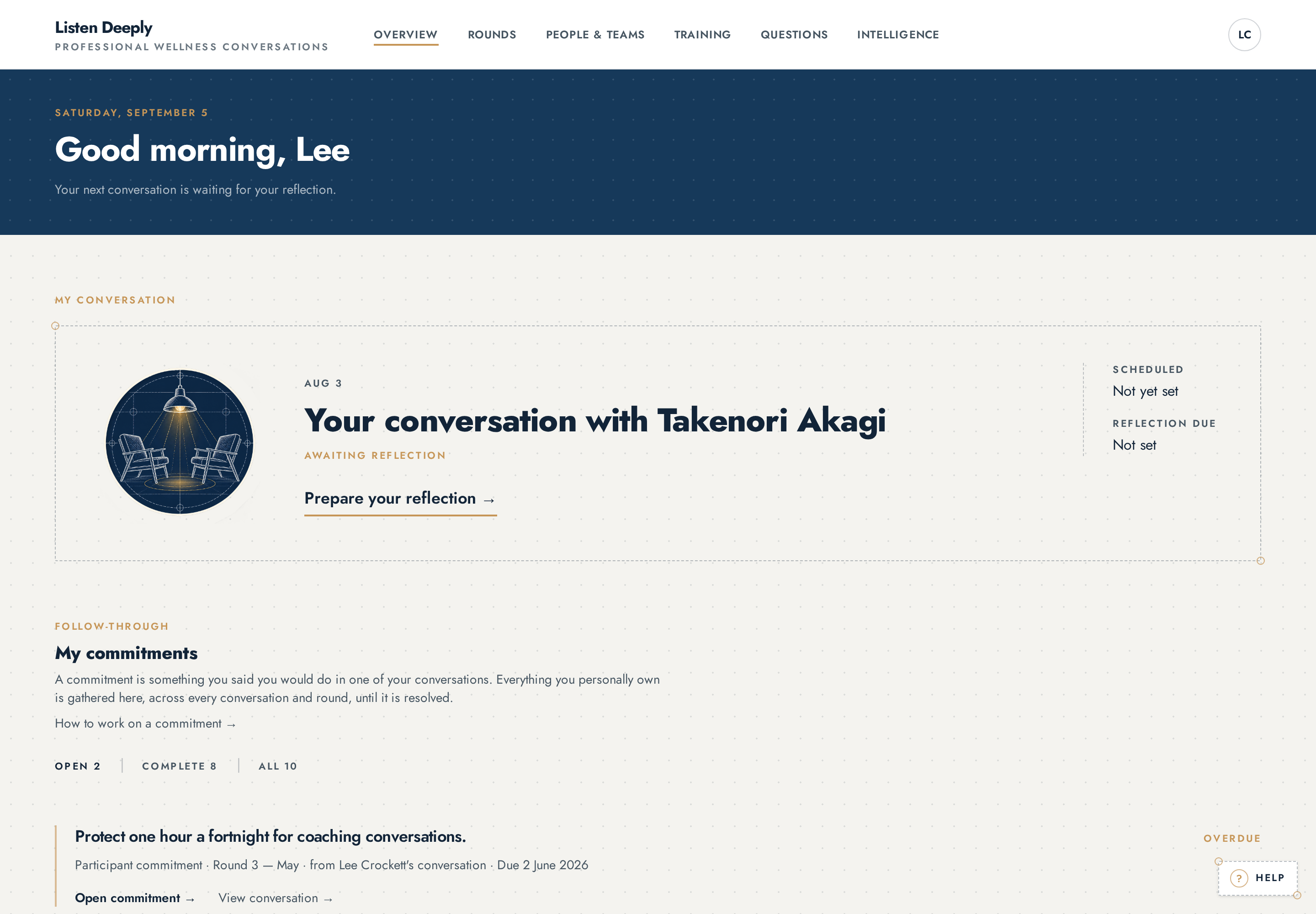
Your Overview carries a My commitments section. It is the authoritative list of what is open, what is in progress, what is overdue and what has been completed for you, drawn from every conversation you have taken part in. The filters at the top switch between those views.
Editing versus updating
The original wording of a commitment cannot be rewritten. It stays as it was agreed, so the record of what was said remains honest. This is deliberate, not a missing feature.
What can change is everything around it: its status, its due date, its owner, and the running history of updates. If the wording is genuinely wrong — it was recorded against the wrong person, or it does not describe what was agreed — an administrator can cancel it and the next conversation can agree it properly.
How to add an update
Open the commitment from your Overview, or from the person's record if you are an administrator.
Write what has moved in the Add an update field.
A short note: progress, a change of circumstance, or what got in the way.
Choose Record update.
The note is added to the follow-through history with your name and the date. Nothing is overwritten — the history builds.
Or choose Mark in progress if the work has started.
You can add a note at the same time; it is recorded alongside the status change.
How to mark one complete
Open the commitment.
Optionally write a closing note in the update field.
What was actually done is worth recording.
Choose Mark complete.
The completion is stamped with who closed it and when, it stops carrying forward, and it moves into your completed history rather than disappearing.
If it was closed too early, choose Reopen.
It becomes open again, and the reopening is recorded in the history.
Due dates and overdue
A due date is optional. When one is set and passes while the commitment is still open, it is shown as overdue — on your Overview, in the person's record, and in the organisation register.
Overdue is a prompt to talk, not a mark against anyone.
Reassigning ownership
Administrators can reassign a commitment to a different named person — most often to give an unassigned administration commitment a real owner. Previous ownership is preserved in the follow-through history, so the trail is never lost.
Carried-forward commitments
Open commitments carry forward. When the next conversation opens, anything still outstanding for that person waits on the Follow-through step — before the questions, grouped by owner — so the conversation begins where the last one finished.
Completed and cancelled commitments stop carrying forward, but stay in the history.
Organisation-wide oversight
Administrators can open the commitment register in Organisation Intelligence, filtered by open, in progress, overdue or complete, and by owner, owner type, team or round. It shows follow-through across the organisation, including administration commitments that still need an owner.
This is the honest test of the practice: how much of what people were asked for actually happened.
Who can do this
The owner of a commitment can add updates, mark it in progress, mark it complete or reopen it. Administrators can do the same and can also reassign ownership. Nobody can rewrite the original wording.
Who can see this
The participant and the facilitator in the conversation it came from, and administrators reading the organisation's commitment register.
Questions
- Can I change the wording of a commitment I made?
- No. The original wording is protected so the record stays honest. Add an update explaining what changed, or agree a new commitment in your next conversation.
- Who can mark my commitment complete?
- You, as its owner, or an administrator. The name of whoever closed it is recorded.
- What happens to a commitment nobody has picked up?
- It stays open and keeps carrying forward. Administration commitments with no named owner are listed as unassigned in the register so they can be given one.