How to do it
Open the conversation from your Overview.
It appears as soon as the conversation is scheduled.
Read anything carried forward.
If you have open commitments from a previous conversation, they are shown before the first question so you can pick up where you left off.
Work through the questions one at a time.
Your writing saves as you go. You can leave and come back; progress is kept.
The rail shows which questions you have answered and which are still open.
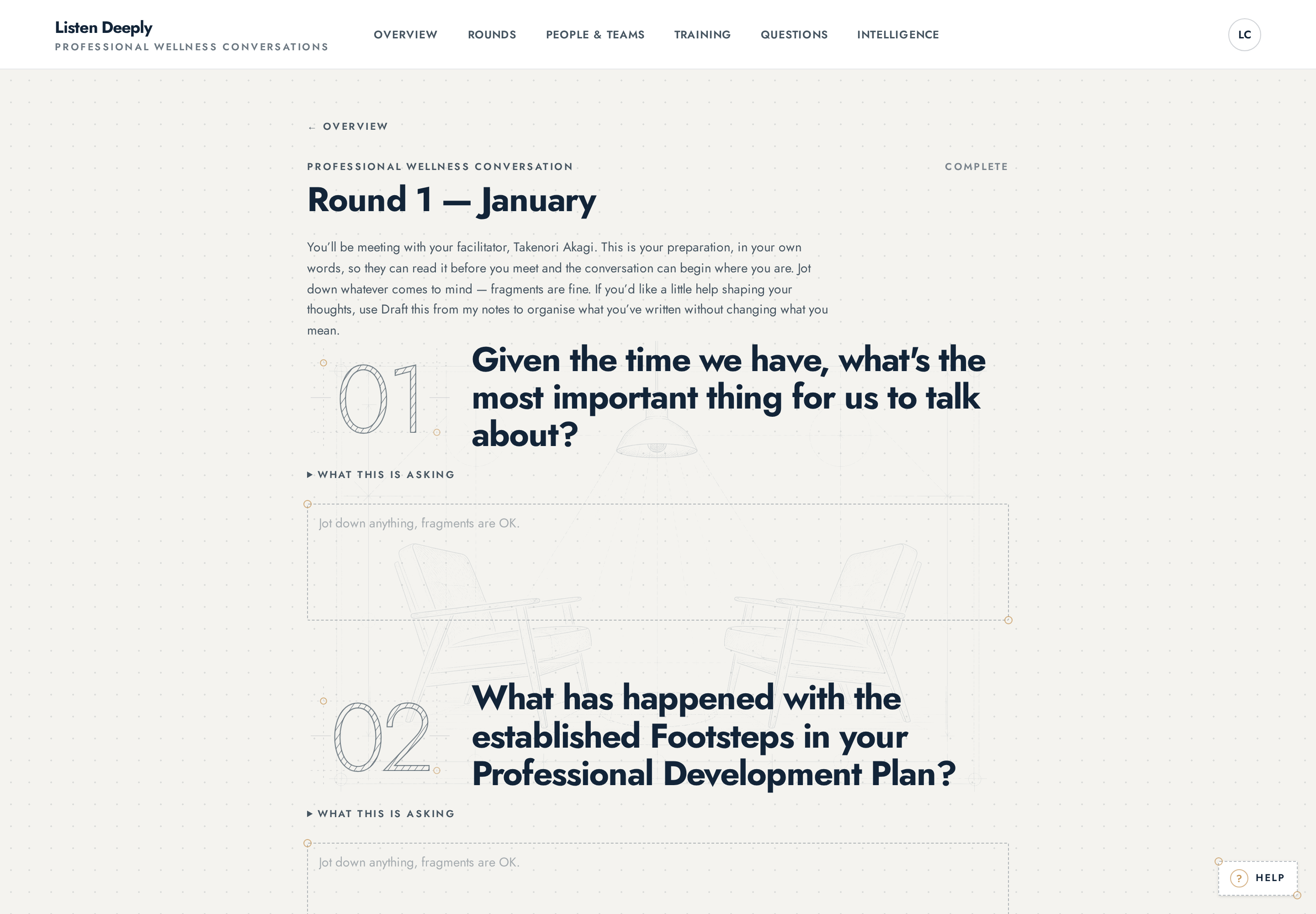
The guided reflection, one question at a time. · captured 05/09/2026 Submit when you are ready.
The conversation moves to Ready for conversation and your facilitator can prepare.
How much to write
As much or as little as is true. A sentence that is honest is worth more than a paragraph that is careful. Anything you leave blank is simply not discussed unless you raise it.
After you submit
You can still read what you wrote. If something material changes before the conversation, tell your facilitator — the conversation itself is the place for it.
Who can do this
The participant the conversation belongs to. Nobody writes a reflection on someone else's behalf.
Who can see this
Your facilitator reads your reflection to prepare. Administrators do not read individual reflections as prose; what reaches organisational reading is patterns across many conversations, never your text attributed to you.